Operations, FBOs, crew and drivers each held part of the flight. Coordinators needed a shared view of what was ready and what still needed attention.

Working product · not released

Operations, FBO, crew and transport
4 roles
A shared view of flight readiness
One record

ONEflight closed before launch. These describe the working product, not operator outcomes.

Designed and built at ONEflight International. Not released.

One flight.
Too many conversations.

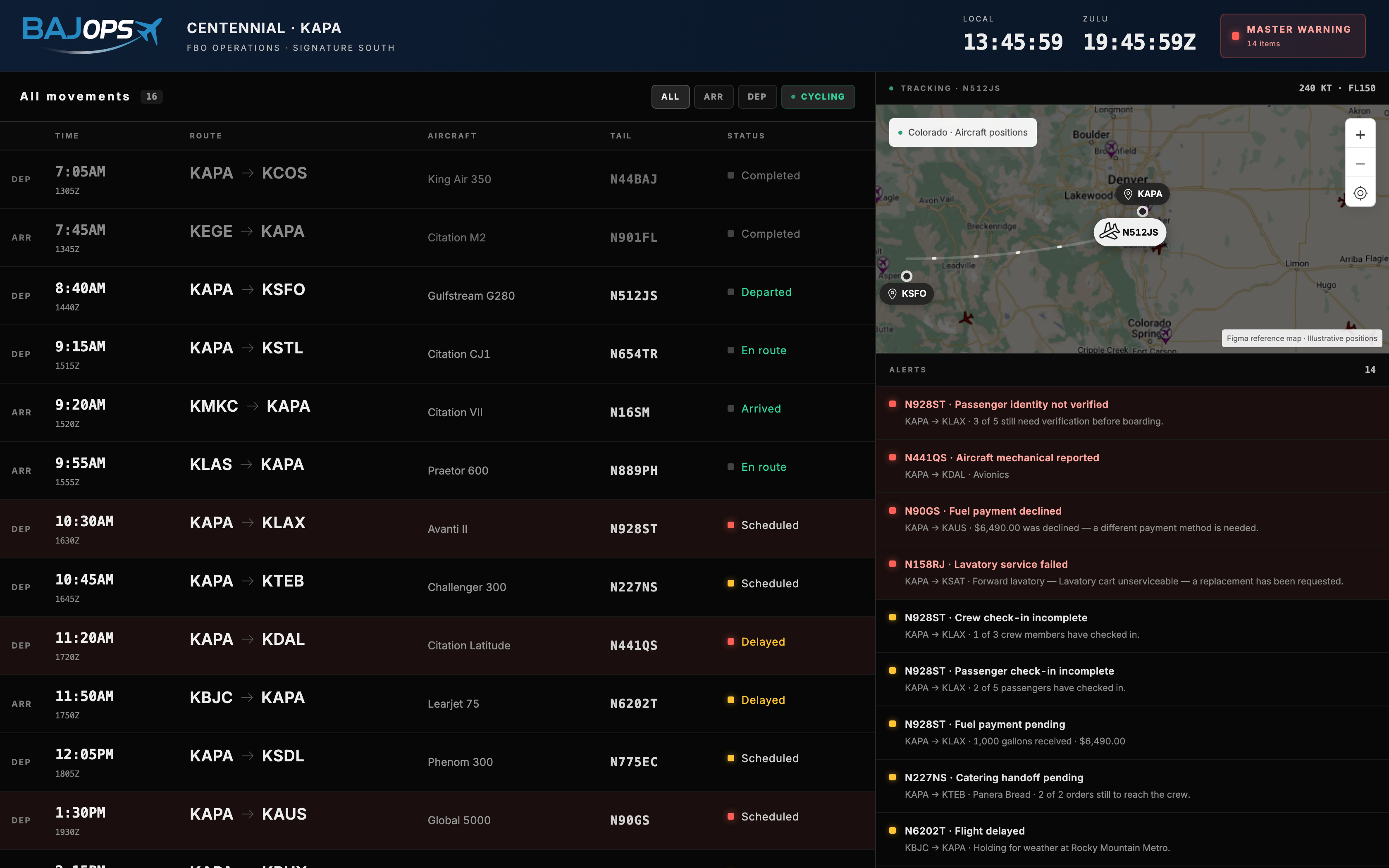
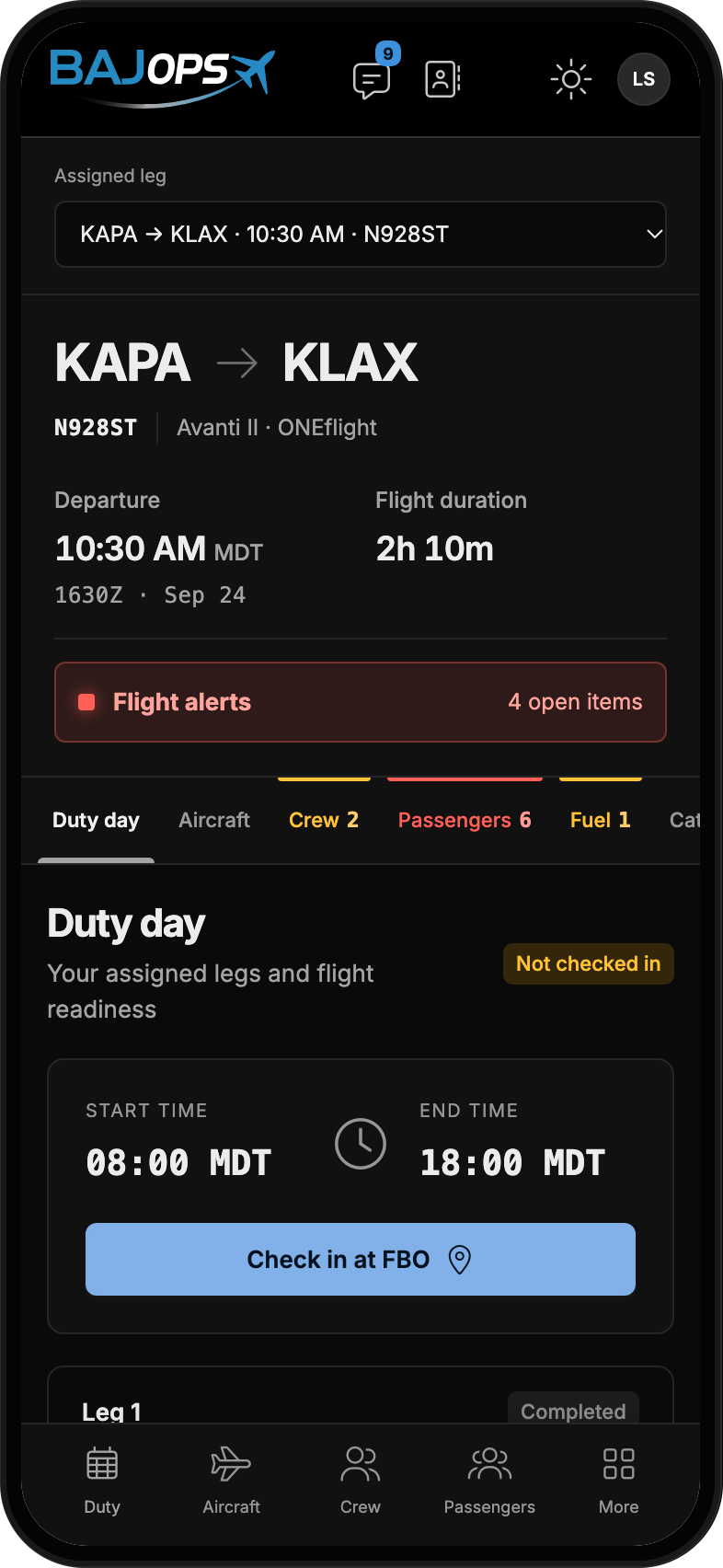
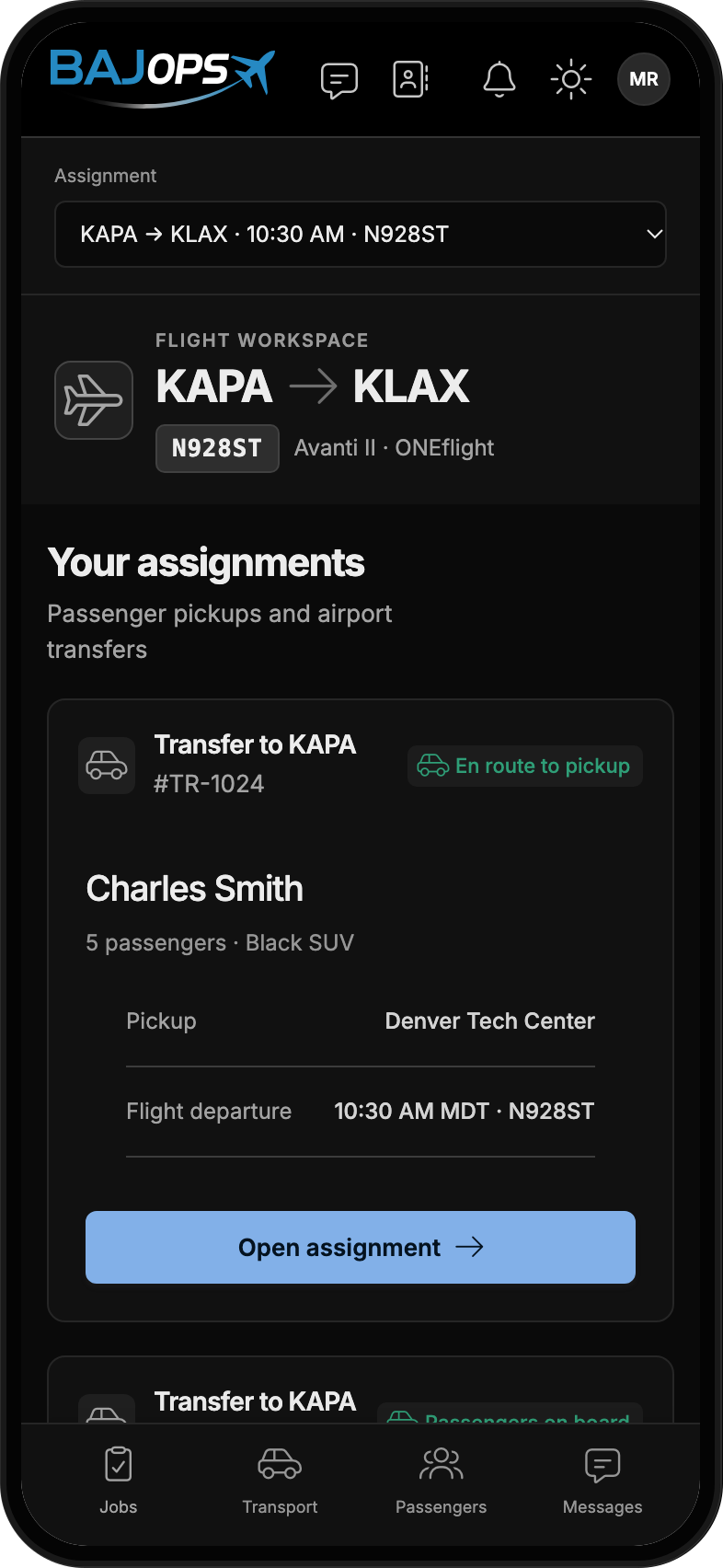
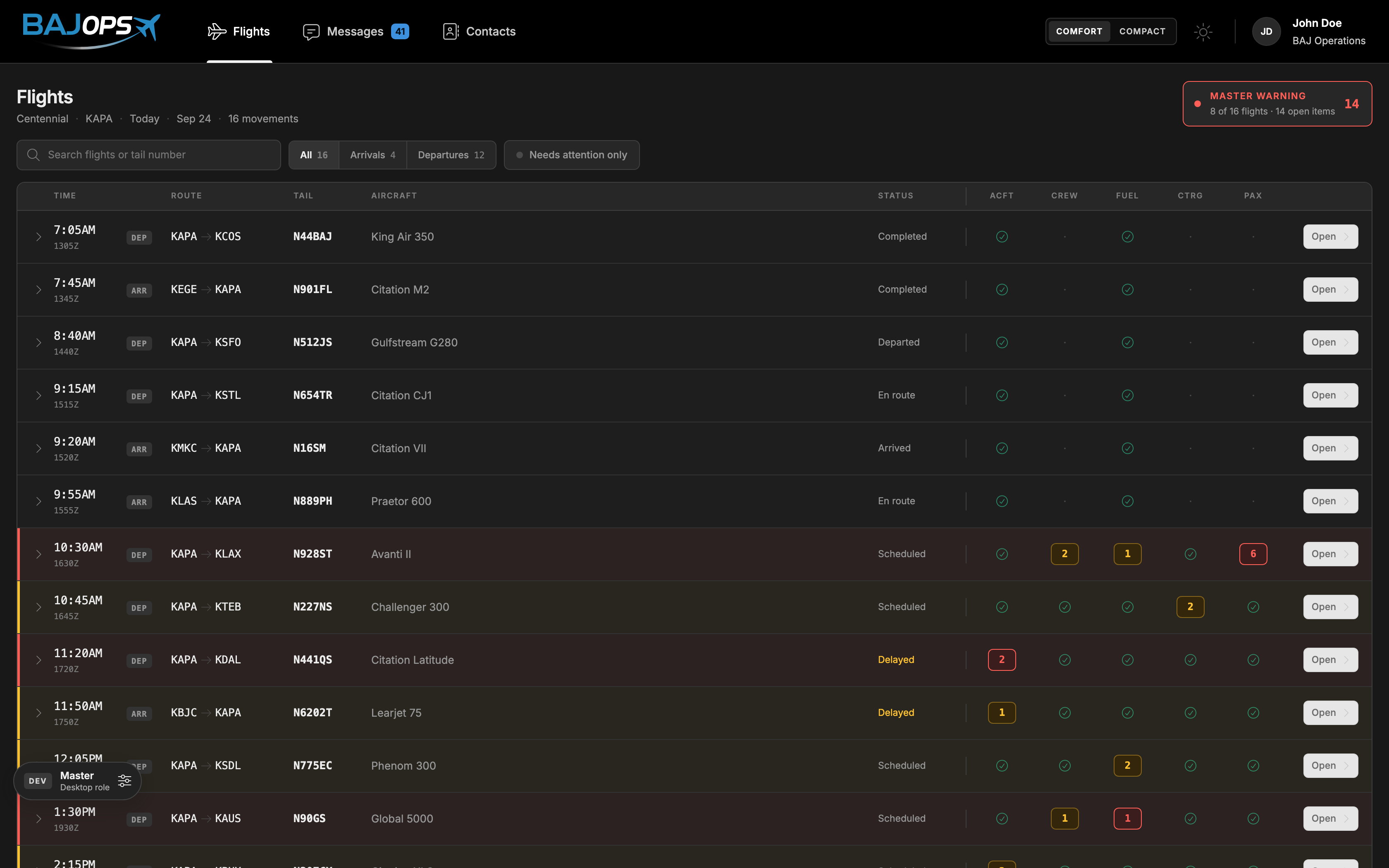
BAJConnect operations wall bringing the flight movements and outstanding work into one shared viewCrew phone view of the same connected flight workflow
From the operations room to the crew’s phone. Different views, one flight record.

Operations, the FBO, crew and drivers each held part of the answer. Separate calls and threads made completed work look just like work nobody had started.

I designed and built BAJConnect to bring those pieces into one flight record, giving every role a useful view of the same readiness state.

My role Senior UI/UX Product Design Engineer

My scope Product definition, UX/UI, system, motion and front end

A shared state, explained

One update.
Every role in sync.

The client needs a car. The driver needs the assignment. Operations needs to know the pickup is covered.

I connected those views to the same record. Confirm the pickup here and the outstanding work clears with it.

Departure readinessSample flight
Crew check-inCrew confirmed
Fuel deliveryDelivery confirmed
CateringOrder confirmed
Client car pickupWaiting for a driver
One task still needs attention.

The pickup is visible to the team before it becomes a missed handoff.

An interactive explanation of the product’s shared-state model, using sample data.

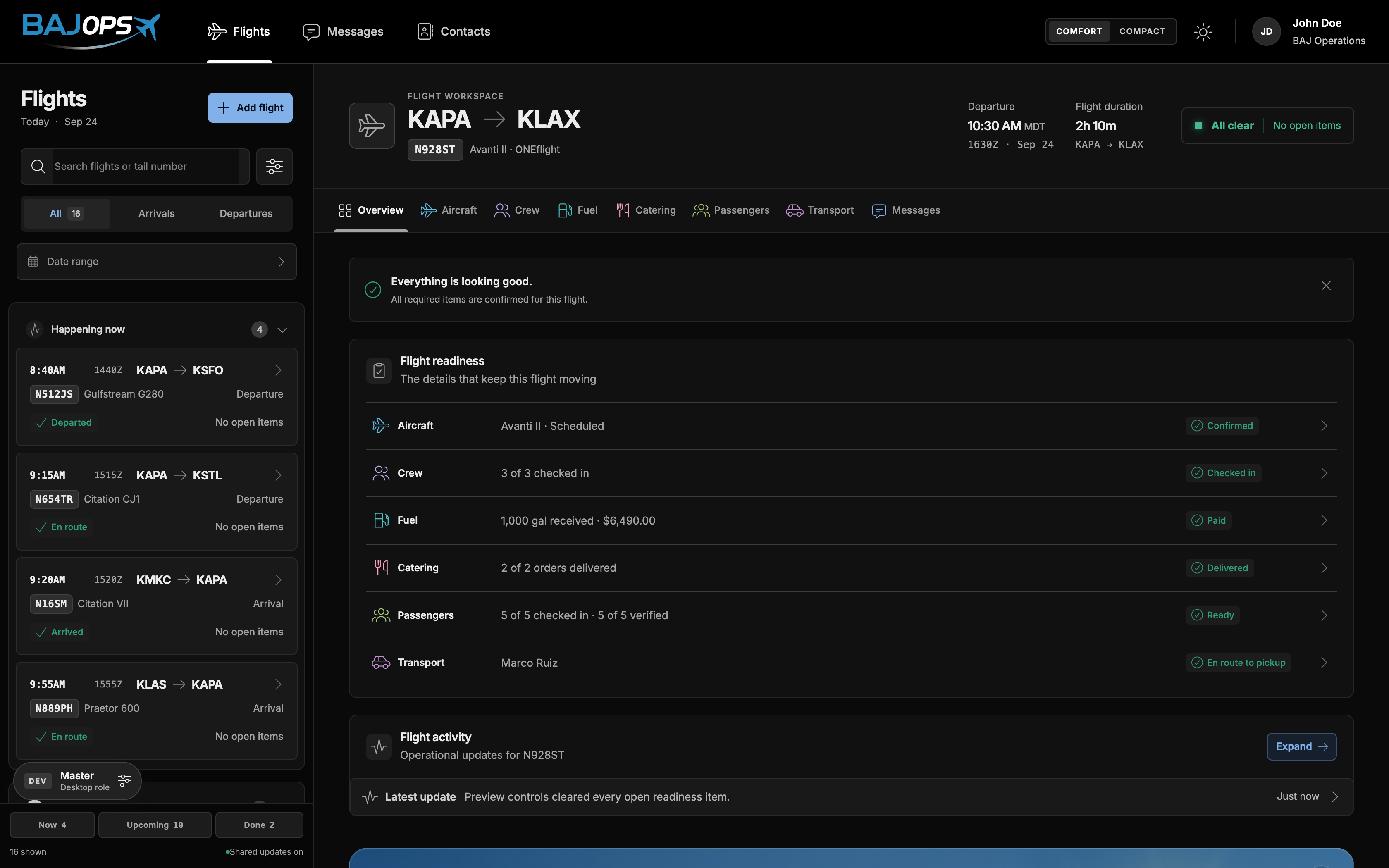
The actual BAJConnect workspace after outstanding readiness items have been cleared

Nothing outstanding.
Nothing competing.

The header annunciator, tab counts and readiness rows all derive from one issue list. They cannot announce “all clear” while an amber tab says otherwise.

With the outstanding work cleared, the workspace becomes quiet. The operator can move on to the next flight.

Same flight.
Different decisions.

A role is more than a permission filter. Each person needs a different view of the work, while every update returns to one flight record.

What still needs me?

The whole day is a flight rail. The selected flight puts each outstanding item beside the action that clears it. Fuel, catering, transport and maintenance derive their state from the records their own tabs work on.

Try the full prototype ↗
Operations & FBO product view

Real prototype screens. The prototype’s preview panel switches roles and resets its sample day. No live aviation, payment, tracking or messaging services are connected.

A clean day should
look quiet.

The flight board answers where work remains across the day. It routes to the relevant workspace; it never becomes another place to edit the same work.

Outstanding work brings the board to life.

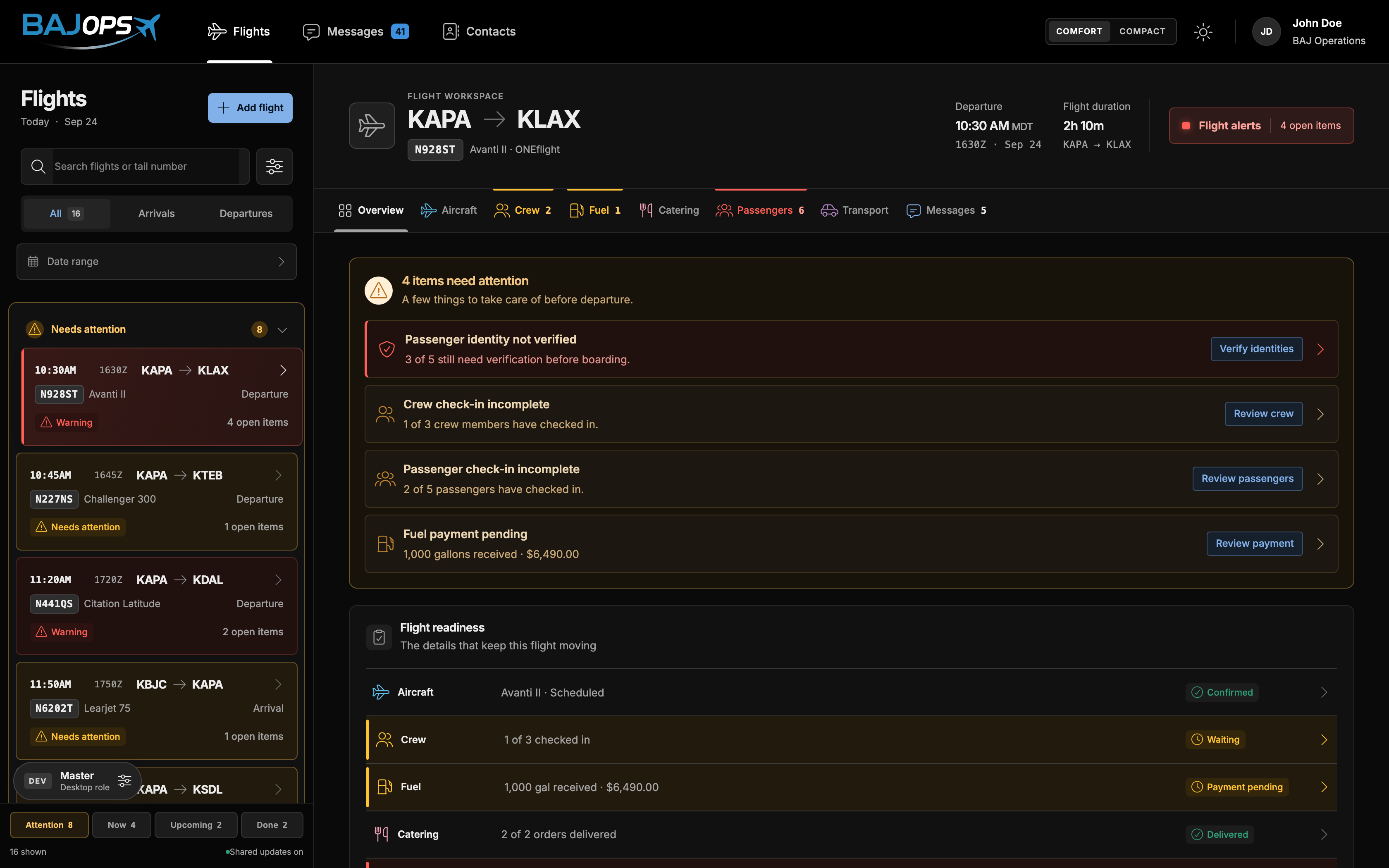
Flight board highlighting outstanding readiness items

Colour earns its place. Grey is normal, amber needs attention and red is a blocker. Counts, named badges and row edges keep meaning readable without relying on colour alone.

The context moves with the flight. Pre-departure work expires at departure. Open mechanical reports and money owed remain, because someone still needs to act on them.

Design engineering

The rules live
beyond the pixels.

I built the interface and the constraints behind it. What looks consistent on screen has to stay consistent when another person changes the code.

Flight recordsShared readiness model
Tab countsWorkspaceFlight board

State before screens. Readiness, message counting and contact collapsing live in modules independent of the view. Four of six service cards derive their state from the source records.

Identity yields to attention. Seven destination hues are spaced by perceptual distance, with neighbouring tabs at least ΔE 24 apart. Any outstanding work overrides that identity with amber.

77 tests protect the rules. The suite checks agreement between board and workspace, role scope, tail-number search and shared hover colours.

Built to work.
Still to be proven.

ONEflight closed before the product reached operators. There are no adoption results behind these screens. The working React application includes sixteen sample movements, readiness states, a flight board and an operations wall.

My next step would be to test the coordinator’s day before expanding the full four-role system. The optional flight board is the decision I’m least certain about. It would also have been the cheapest to validate early.

Explore the working prototype ↗

Available for my next opportunity

Let’s build something people love using.

Looking for a product designer who can take an idea from the first sketch to a working experience? Let’s talk.

Designed and developed © 2026 Erik Rodríguez